Instructions
- Be sure that your screen is bright. You might have to disable the "Adaptaptive Brightness" setting on your phone.
- Put on your headphones, start a session, CLOSE YOUR EYES, and relax.
- Even though your eyes are closed, you will still perceive the changing colors.
- The binaural music and flashing lights will immerse you into a different world!
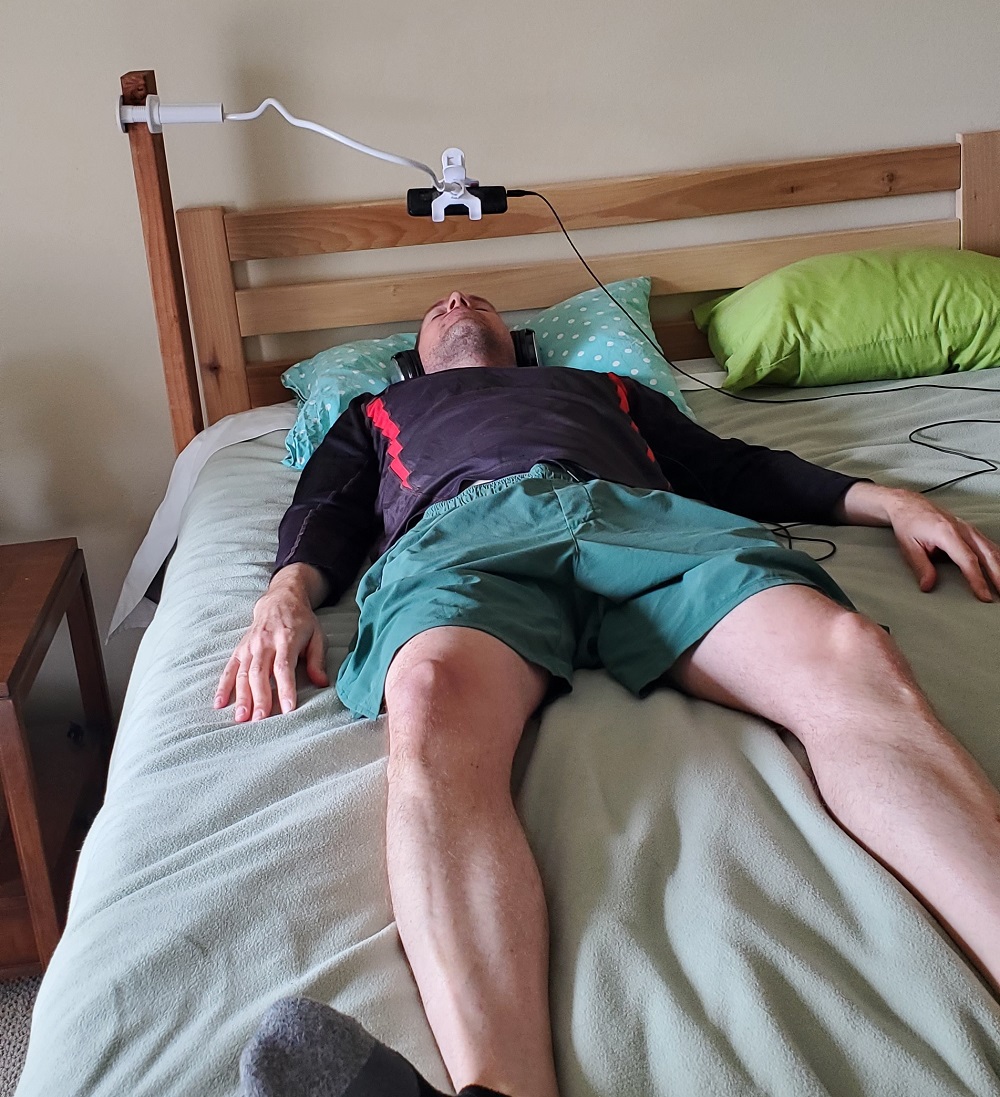
You might need to clamp an additional piece of wood to support the gooseneck phone holder.
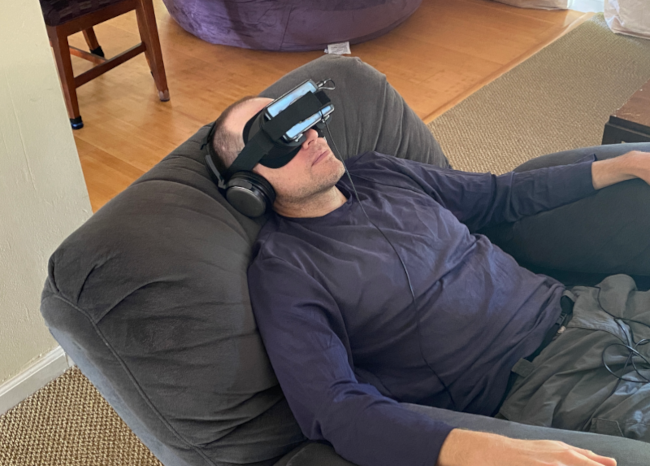
DeepHz Custom Headset
If you prefer using a headset, then my custom headset is more comfortable than the virtual reality headsets I tested. My custom headset doesn't extend as far out as virtual reality headsets, and this shorter extension reduces the torque against your face.
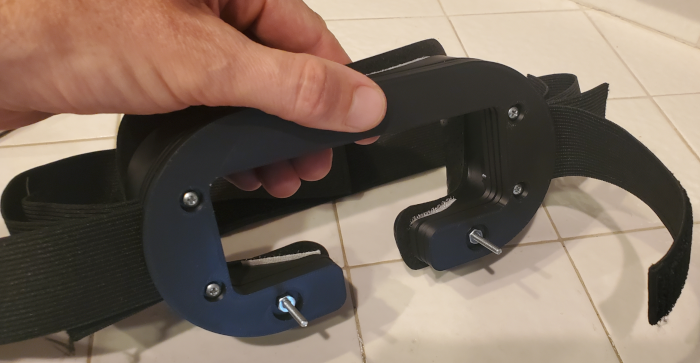
- The custom headset is 3D printed
-
-
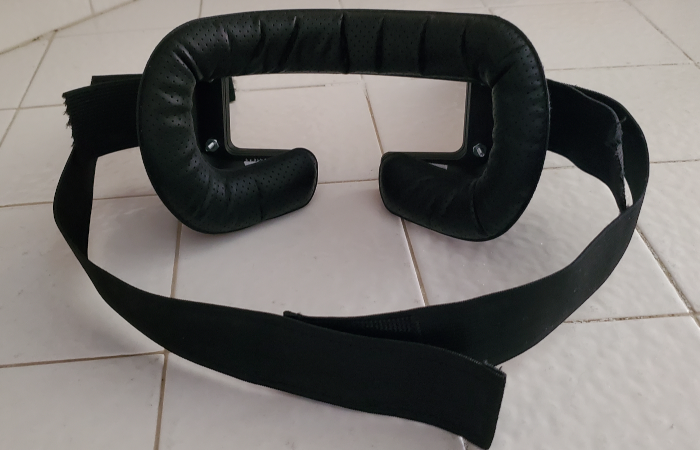
- Find someone who can 3D print these custom parts for the main body and front plates. I use OCpartsupply. Download the .stl files
- Purchase the Elastic Bands for Wigs and Foam Face Replacement Face Cover Pad
- Purchase six #4-40 x 1" pan head machine screws, and six nuts
- Purchase 3/4" wide velcro strips. You will only need to use the "hook" or "prickly" side of the velcro.
- Follow the assembly instructions below.
-
- Assembly Instructions for Custom Headset using 3D Printed Parts:
- Cut each strap in half. Feed the straps through the slots. Use the front slot for your phone, back slot for your head.
- Secure the two most outer plates with the two machine screws and nuts that protrude outward, as shown in the picture above.
These screws will support the phone, along with the velcro straps. - Secure all of the plates to the main body using the remaining machine screws and nuts.
- Cut some 3/4" wide velcro strips ("hook" or "prickly" side) so that the velcro fits on the top and bottom rim of the main body.
- Attach the face cover pad to the rim of the main body. The face cover pad will stick to the velcro.
- Adjust the straps if necessary. Trim the excess strap once you are satisfied with the fit.